


Sofascore: Live Sports Scores
4.56.47K Reviews
App Specs
- Version
- Varies with Device
- Updated On
- License
- Free
- Downloads
- 100,000,000+
- Developer
- Sofascore
- Categories
- Sports
- Platform
- Android, iOS
Screenshots

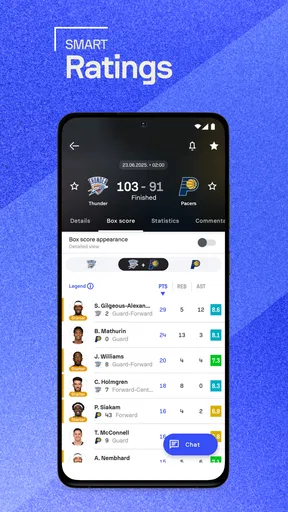
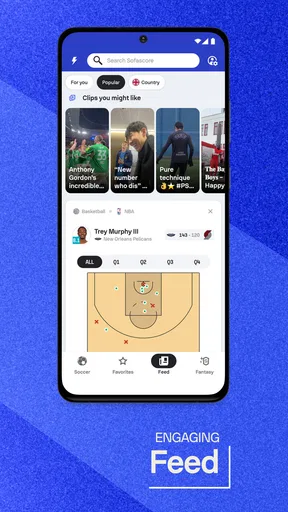
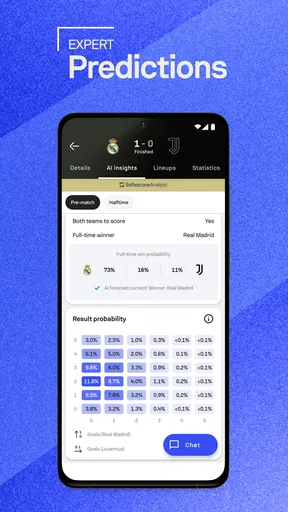
 Analysis by AppCompare
When I’m following several competitions at once, the hard part isn’t finding a score; it’s keeping track of what matters without opening a different page for every match. Sofascore: Live Sports Scores is built for that kind of sports-watching routine. I find it most useful as a quick way to check live action, upcoming fixtures and match details, especially when I can’t sit down to watch.
What I would look for in a sports score app
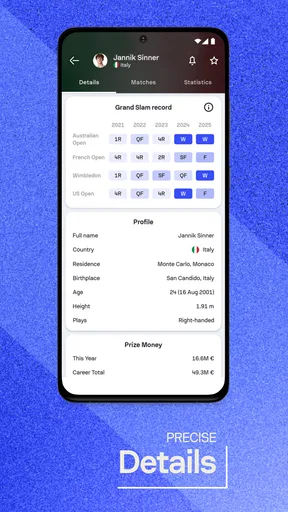
Before choosing one, I’d ask whether I need only a final score or want a view of the match as it unfolds. A basic results app can be enough if I follow one team and check in after the game. If I keep up with multiple leagues, want player information, or need to see what is scheduled next, a broader live-score app saves more effort. Sofascore is aimed at the second kind of fan: its appeal is bringing scores, schedules, statistics and player profiles into one sports-focused place.
That breadth is useful, but it also affects the experience. If you only care about a single match, all the surrounding competitions and numbers may feel like extra noise. I’d treat the app as a customizable score desk rather than an app that needs to be opened and explored in full every day. Follow the teams and competitions you actually care about, then use the wider coverage when curiosity takes you beyond them.
Getting Started with Sofascore
First things first, downloading Sofascore is a breeze. It's available for both Android and iOS, so no matter what side of the smartphone fence you're on, you're covered. Once you've got it installed, the app welcomes you with a sleek and intuitive interface. It's like the app knows exactly what you need, and it's ready to deliver.
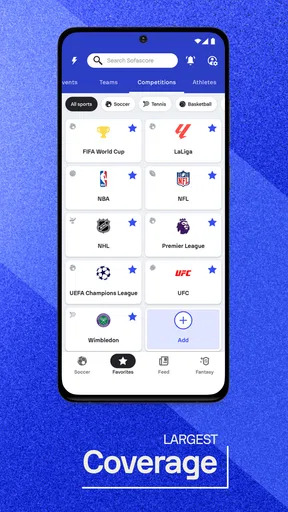
The home screen is where all the magic begins. You can customize it to show your favorite teams and leagues, ensuring that you never miss a beat. Whether it's football, basketball, tennis, or even lesser-known sports like handball, Sofascore has it all. It's like having your very own sports command center right in your pocket.
Where the wide coverage pays off
The real advantage of following favorites is not simply seeing a familiar team sooner. It can make a crowded sports calendar easier to scan: I can check a team’s next fixture, notice another competition is underway, and decide whether anything deserves a closer look. That makes Sofascore handy on a busy day when I have a few minutes between errands rather than a full evening free for sports.
Imagine I’m commuting home while a match I care about is in progress, and I also want to know whether a later game has started. I can check the live score, look at the match details, and then return to the schedule without switching between a league website, a search result and a separate player page. It is not a substitute for watching the broadcast, but it helps me stay oriented when watching isn’t practical.
Worth Reading Before You Choose

Baby Panda World Brings Quick Play to Modern Phones, but Its Game Library Feels Busy

ESPN’s Live Game View Makes Following Close Games Easier

QuizzLand Review: A Good Fit for Short Trivia Breaks, Not Every Player

Basketball Stars: Multiplayer Is Fast, but Can It Recover When Matches Go Wrong?

WEBTOON Turns Phone Updates Into a Better Reading Routine

Link to Windows Runs on Shared Habits, Not Social Feeds
There’s a useful habit here: keep the favorites list deliberately small. If every team or competition that catches your eye is added, the personalized view loses its purpose and starts to resemble the full sports calendar. I’d add the teams I follow closely first, then use search or browsing for one-off interests. That separation keeps regular checks quick without making the app feel limited.
Features That Score Big
Now, let's talk about the features that make Sofascore stand out in the crowded world of sports apps.
- Real-Time Updates:
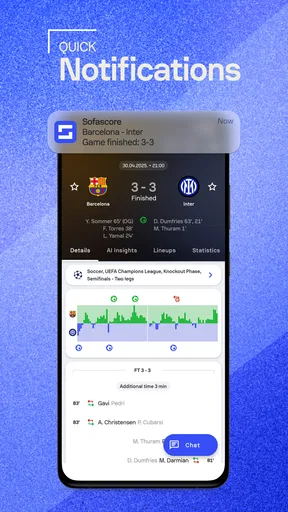
- The app's real-time updates are spot on. I mean, we're talking about getting notified of a goal before your friends even realize the match has started. The push notifications are timely and ensure you never miss a key moment.
- Detailed Statistics:
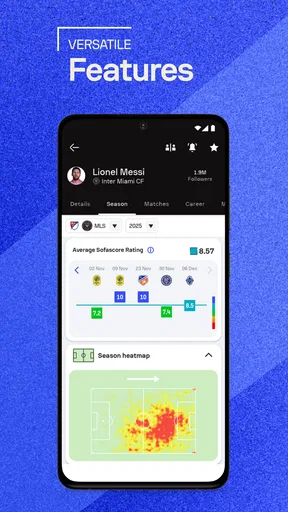
- If you're a stats junkie like me, you'll love the in-depth statistics available for each match. From player performance to team comparisons, the data is thorough and well-presented.
- Community Insights:
- One of my favorite features is the community insights. You can see predictions and comments from other users, which adds an interactive layer to the experience. It's like having a sports bar discussion right in the app.
How to use match details without getting lost in them
Statistics are most helpful when they answer a specific question. If I’m checking a game during a short break, I might look at the team comparison or a player’s performance to understand why the score is developing as it is. If I’m just trying to find out whether the match has finished, opening every stat panel adds friction rather than insight. The best workflow is to start with the score, then go deeper only when something catches my attention.
That distinction matters for newer fans as well as experienced ones. A page full of numbers can look authoritative, but a statistic is context, not a verdict on who played better. I use the figures to frame what I’m watching or to spark a question, not to replace the match itself. For a supporter who enjoys post-match discussion, those details can make a recap more specific; for someone who wants only the winner, they may be unnecessary.
Notifications also work best when they are selective. Live alerts are valuable if I cannot watch and want to know about key developments, but alerts for every team and competition can interrupt the day. I’d start with the one or two events I truly don’t want to miss, then adjust based on how often the alerts are useful. That small setup choice can make the difference between a practical companion and a noisy phone.
Community features: useful perspective, not a substitute for reporting
Predictions and comments give the match page a more social feel than a bare scoreboard. I enjoy seeing how other fans read a game, especially when I’m following a team outside my usual leagues. Still, community opinions should be treated as conversation, not verified match facts. If I need a reliable account of what happened, I would prioritize the score and match information over a user’s prediction or reaction.
This is also where preferences differ. Fans who enjoy debating lineups, momentum or likely outcomes may appreciate having reactions nearby. Readers who want a quiet, factual check may prefer to ignore that layer and use the app for schedules and statistics alone. The social element is an extra way to engage, not a reason every user has to participate.
Navigation and Usability
Let's be honest, nobody likes an app that requires a degree to navigate. Thankfully, Sofascore keeps things simple. The navigation is smooth, and the app is responsive, even when you're jumping between different sports and leagues. The design is clean, with a focus on functionality over flashy graphics, which I appreciate.
There's also a handy calendar feature that lets you plan your sports week in advance. It's perfect for those of us who like to keep our schedules in check but still want to indulge in as much sports action as possible.
Choosing it over a league app or a simple scoreboard
The usual alternatives serve different purposes. A league or club’s own app can be a better fit if I want that organization’s particular news and official updates alongside its fixtures. A simple scoreboard is a better choice when I only need a fast result and have no interest in player profiles or match statistics. Sofascore sits between those approaches: it is useful when my attention is spread across sports and competitions, and I want one place to move from a result to more context.
That does not mean it replaces every sports app. A dedicated news source is more suitable when analysis, interviews and longer reporting are the priority. A live-score tool is not where I would go for a full match experience, either; following events on a screen is different from watching them. I’d keep the app if scores and schedules are the daily need, and use a more specialized source when I want a deeper kind of coverage.
Who will appreciate it, and who may not
I’d recommend Sofascore to fans who follow more than one team, switch between leagues, or regularly need to check what is happening while away from a television. It can also suit someone who likes to compare match and player information after an event, rather than stopping at the final score. Its sports focus makes it more useful for those habits than a general search or a single-competition results page.
I would hesitate to recommend it to a person who follows just one occasional event and wants the least possible on-screen information. In that case, a quick web search or a dedicated competition source may be simpler. Likewise, if you mainly want live video, expert journalism or a place to watch a complete game, a score-and-stat app is the wrong category of tool. Picking the right alternative depends on whether the priority is breadth, official league material, reporting or viewing.
The practical trade-off of switching
Moving from another score app is easiest when I first decide what I want to preserve: favorite teams, alert habits, or a particular way of checking fixtures. I would set up only the competitions I follow closely, then use the calendar to see whether the schedule view matches how I plan my week. After a few days, it becomes clearer whether I need more alerts or fewer, and whether I actually use the deeper statistics.
The main cost is not learning complicated controls; it is getting used to a different way of organizing sports information. If you have trained yourself to visit a club page for every update, one broader app may take a little adjustment before it feels faster. I’d run both approaches briefly rather than deleting an existing source straight away, especially if official team news is important to me. Once the routine feels comfortable, it is easier to tell whether the convenience is real.
Price, audience and everyday fit
Sofascore is a free sports app from Sofascore, with in-app purchases listed from under a dollar to around forty dollars per item. I’d start with the free experience and decide whether anything beyond it is relevant to my own use, rather than assuming a purchase is necessary to follow scores. It is rated for Everyone, which makes it broadly suitable for sports fans, though parents may still want to make their own choices about how children use online community features.
Its popularity is substantial: it has an average rating of 4.6 from around 1.1 million ratings, and more than 50 million installs. Those figures suggest a well-established audience, but they do not tell me whether the layout suits my habits. I’d judge it by a practical test: can I reach the matches I care about quickly, and do the stats add useful context instead of slowing me down?
Final Thoughts
In conclusion, Sofascore: Live Sports Scores is like having a personal sports assistant that never sleeps. It's packed with all the features you'd expect from a top-tier sports app and then some. The real-time updates, comprehensive statistics, and community insights make it a must-have for any sports enthusiast.
If you're tired of juggling multiple apps or missing out on key moments, give Sofascore a try. Trust me, once you dive in, you'll wonder how you ever managed without it. So, hit that download button, and let the games begin!
Pros
- Comprehensive coverage of sports events.
- Real-time updates with minimal delay.
- User-friendly interface and navigation.
- Detailed statistics for in-depth analysis.
- Customizable notifications for favorite teams.
Cons
- Ads can be intrusive at times.
- Requires internet for live updates.
- Limited offline functionalities.
- Some features locked behind paywall.
- Occasional lag on older devices.
FAQs for Sofascore: Live Sports Scores
What sports and events does Sofascore cover?
Sofascore offers an extensive range of sports coverage including football, basketball, tennis, cricket, and more. It provides live scores for over 20 sports and includes detailed statistics for major leagues and tournaments worldwide, making it a comprehensive tool for sports enthusiasts.
How accurate are the live scores and statistics on Sofascore?
Sofascore is known for its real-time updates and accurate statistics. The app ensures that users receive live scores with minimal delay, and it sources data from reliable partners. For sports fans who rely on precise and timely information, Sofascore is a dependable choice.
Is Sofascore free to use, or are there any in-app purchases?
Sofascore is free to download and use, offering a wide array of features at no cost. However, it includes optional in-app purchases, such as ad removal and premium features, for users seeking an enhanced experience. These purchases are not necessary to enjoy the core functionalities of the app.
Can I customize notifications for specific teams or matches in Sofascore?
Yes, Sofascore allows users to tailor notifications for their favorite teams and matches. You can set up alerts for goals, match start times, or any specific events you are interested in. This feature ensures you never miss any important updates about your preferred teams.
Does Sofascore support multiple languages for its interface?
Sofascore caters to a global audience by providing support for multiple languages. Users can easily switch between languages within the app settings, making it accessible to sports fans worldwide. This multilingual support enhances user experience by offering information in their preferred language.


